

WhatPulse 1.5.0.0 is a program that count how many keystrokes you type a day.
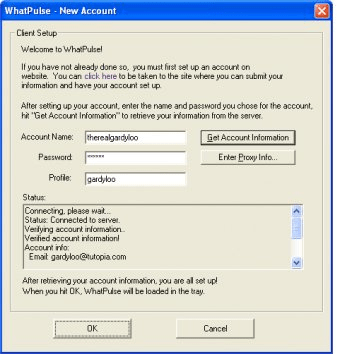
You will be installing a client, that will need to connect to WhatPulse website, that will keep track of your keystrokes.
You will have to setup an account (absolutely free) in order to use this program. After that, the client will be able to connect with the website.
The program will then start counting your keystrokes, clicks and how many miles did you travel with your mouse.
WhatPulse 1.5.0.0 will sit as an icon in the system bar. You can right click on it an access some features.
The "Settings" option will allow you to specify if you want the program to be launched when Windows starts, if you want to see a splash screen, the color of the icon, use tray balloons and other details.
You can also choose if you want to show the distance in miles, meters or kilometers, generate local XML or check for updates.
You can also configure your proxy settings, if necessary, and set the program´s dialog transparency.





Comments (3)
2.3.1 is the absolutely outstanding *nods*.
My name is Scott, PinkFloyd on WhatPulse. As a founding member and administrator/staff contributor since day 1, I can tell you that this is an extremely cool program that has a lot of new features and uses, it has gotten extremely robust over the years, especially the latest version which is 2.3.1 which tracks not only keystrokes and mouse clicks, but includes network usage/bandwidt/uptime along with an entirely new website with very cool features and stats, I would urge you all to definitely give us a try and register/download today!
Hope to welcome you aboard our happy home! And remember to keep pulsing! Because life is far to short not to make it count!